| Group | Item | Description |
|---|---|---|
| Display Members | Member avatars | Choose which members appear on the calendar and in task/reward lists; synced with the member card toggles on the home screen (see 3.2) |
| Reminder | Remind Later Duration | Delay in minutes for “remind me later” (default 5) |
| Photo | Playback Order | Received time or Shuffle |
| Switch interval + Screen saver mode | Slideshow interval 10/20/30/60s; with screen saver on, the album auto-plays after N idle minutes | |
| Photo Playback Background | Solid Black or Blurred | |
| Other | Start week on | Sets the first day of the week to Sunday or Monday: it decides the column order of the Month view and the first column of the Week view. Applies immediately — go back to the calendar to see the new layout |
| Birthday & Holiday Celebration Scenes | Birthday/holiday celebration scenes toggle with a Trigger Time (e.g. 08:00): when on, the device plays a fullscreen celebration page automatically on a family member's birthday or a holiday once the trigger time is reached. Dates with a green star ★ in the Month view are holidays/birthdays, and tapping the star opens the celebration page manually at any time | |
| Show Tasks in Calendar View | Master switch for showing tasks on the calendar: when on, tasks created with Show on Calendar enabled also appear in the calendar; when off the calendar shows events/reminders only | |
| Delete App Synced Schedules | Deleting app-synced schedules: when on, deleting a schedule that came from the phone app on this device also removes it from the app/cloud; when off the device cannot delete app-synced schedules (no delete button in the detail panel), protecting the phone-side data from accidental deletion |
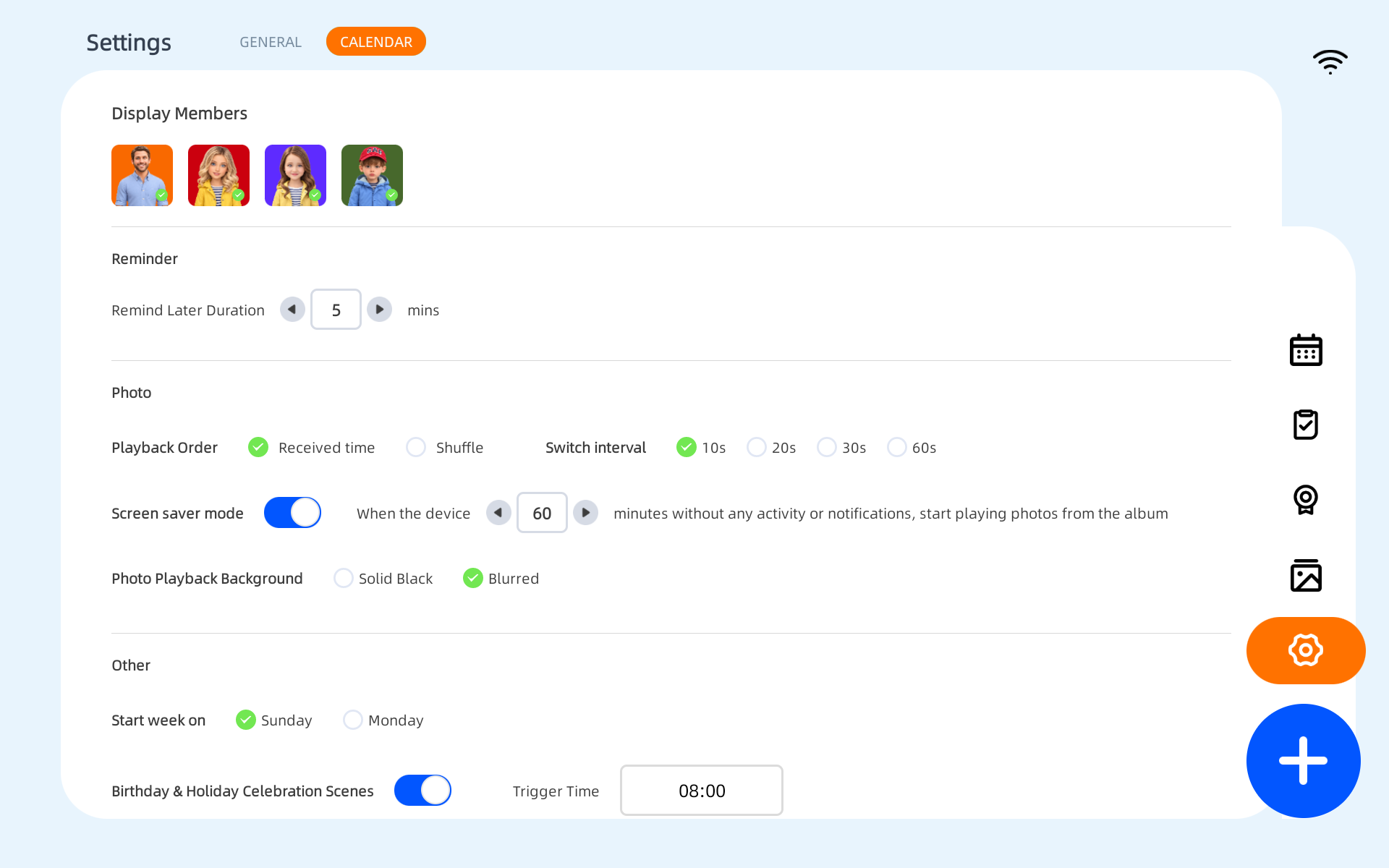
CALENDAR settings (top)
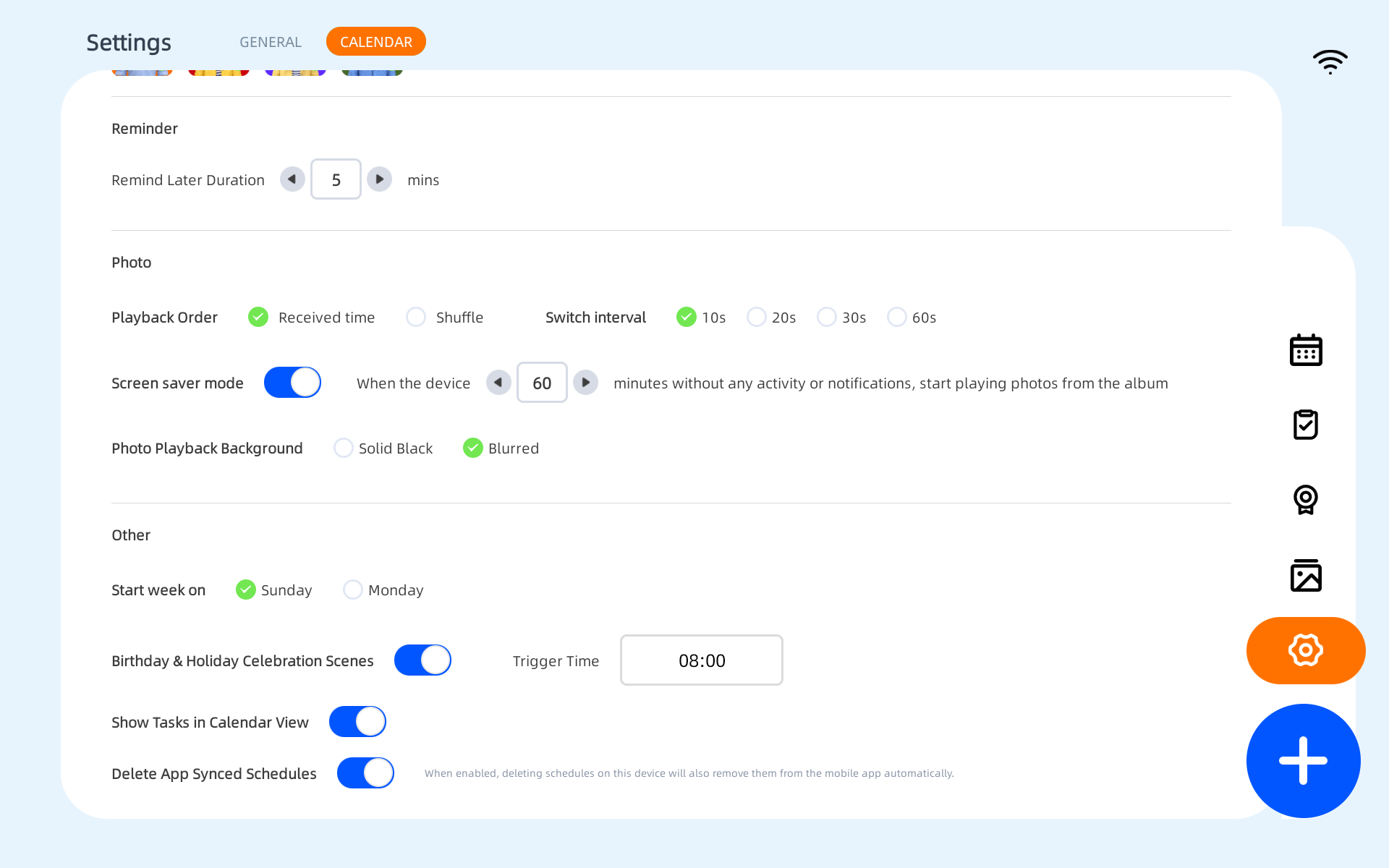
CALENDAR settings (bottom): Start week on / celebration scenes / show tasks / delete app-synced schedules

Fullscreen holiday celebration scene (Veterans Day opened by tapping the green star ★ in the Month view)