- Tap the select circle next to a reward on the member's card (a green check appears).
- A ★ points \| Redeem bar appears at the bottom of the card — tap Redeem.
- On success a Congratulations dialog pops up, points are deducted immediately and the member is notified.
- Tap the gift-box icon in the card header to see MY REWARD history; ✕ closes it.
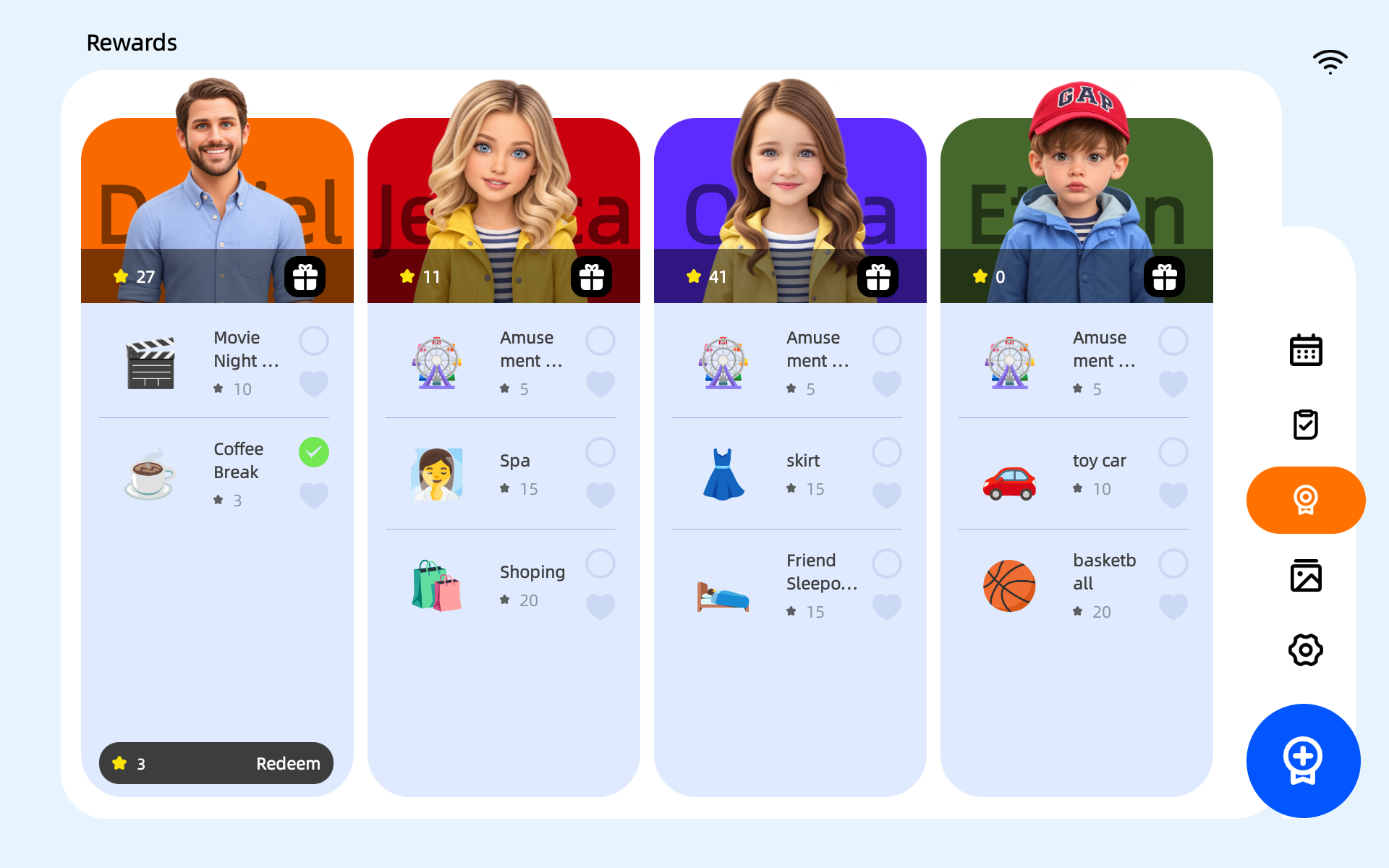
Redeem bar appears once a reward is selected
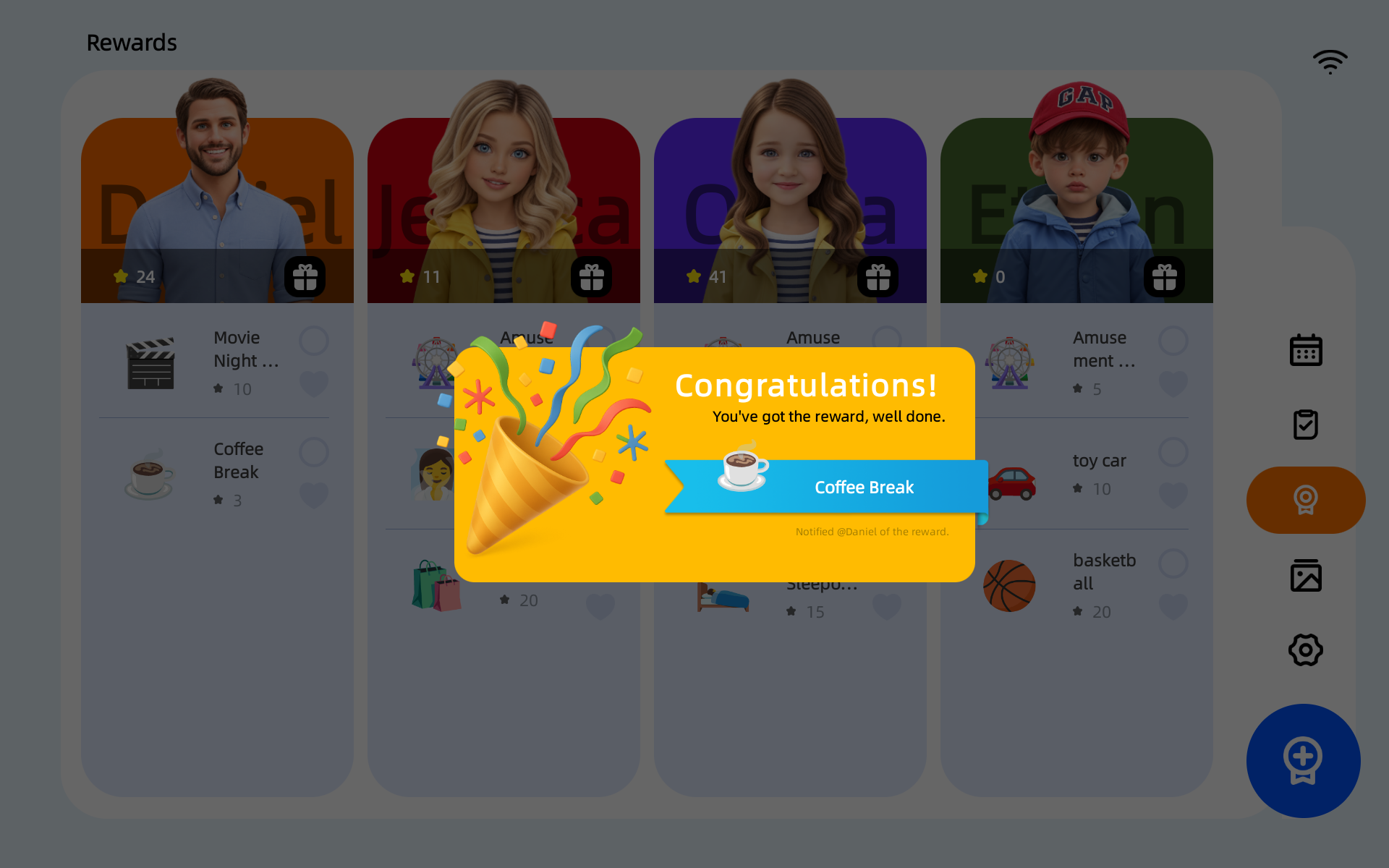
Redeemed: Congratulations dialog (points 27 → 24)
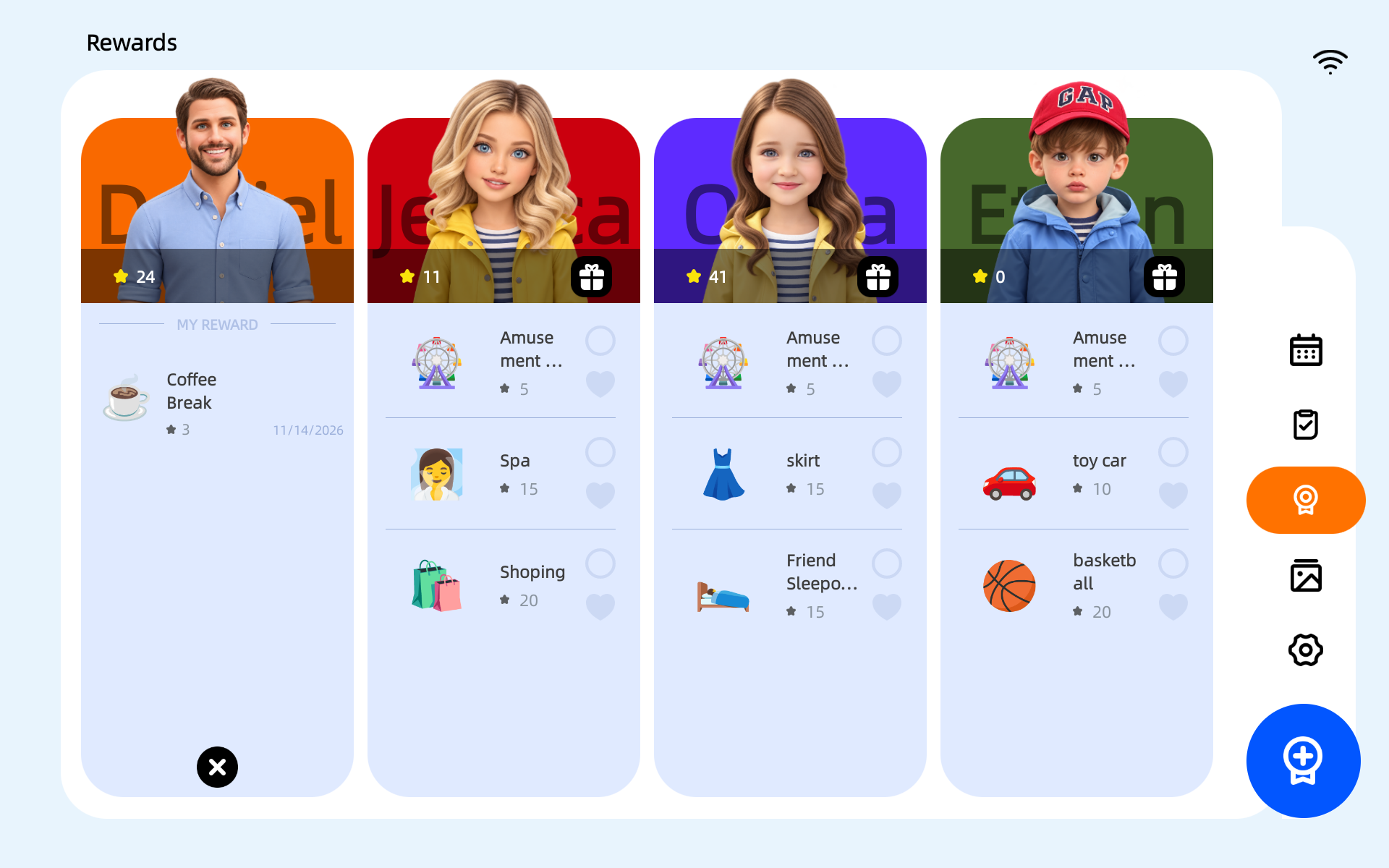
MY REWARD redemption history
Note
Redemption fails when points are insufficient, the reward is gone (renew off) or the network drops. Redemption deducts points instantly — confirm before tapping Redeem. With Renew after redeeming enabled the reward automatically returns to the list.