Tap an event → ✎ in the detail header to edit. The edit form matches the create form and lets you change:
| Field | Description |
|---|---|
| Title / Description | Event name and notes |
| ALL Day | All-day toggle |
| Starts / Ends | Start and end date & time (pickers open on tap) |
| Reminder | Lead time of the reminder |
| Assign | Add or remove members |
| Repeats / End Repeat | Frequency (daily, weekly, biweekly, monthly, yearly, custom weekdays) and end condition (never, on a date) |
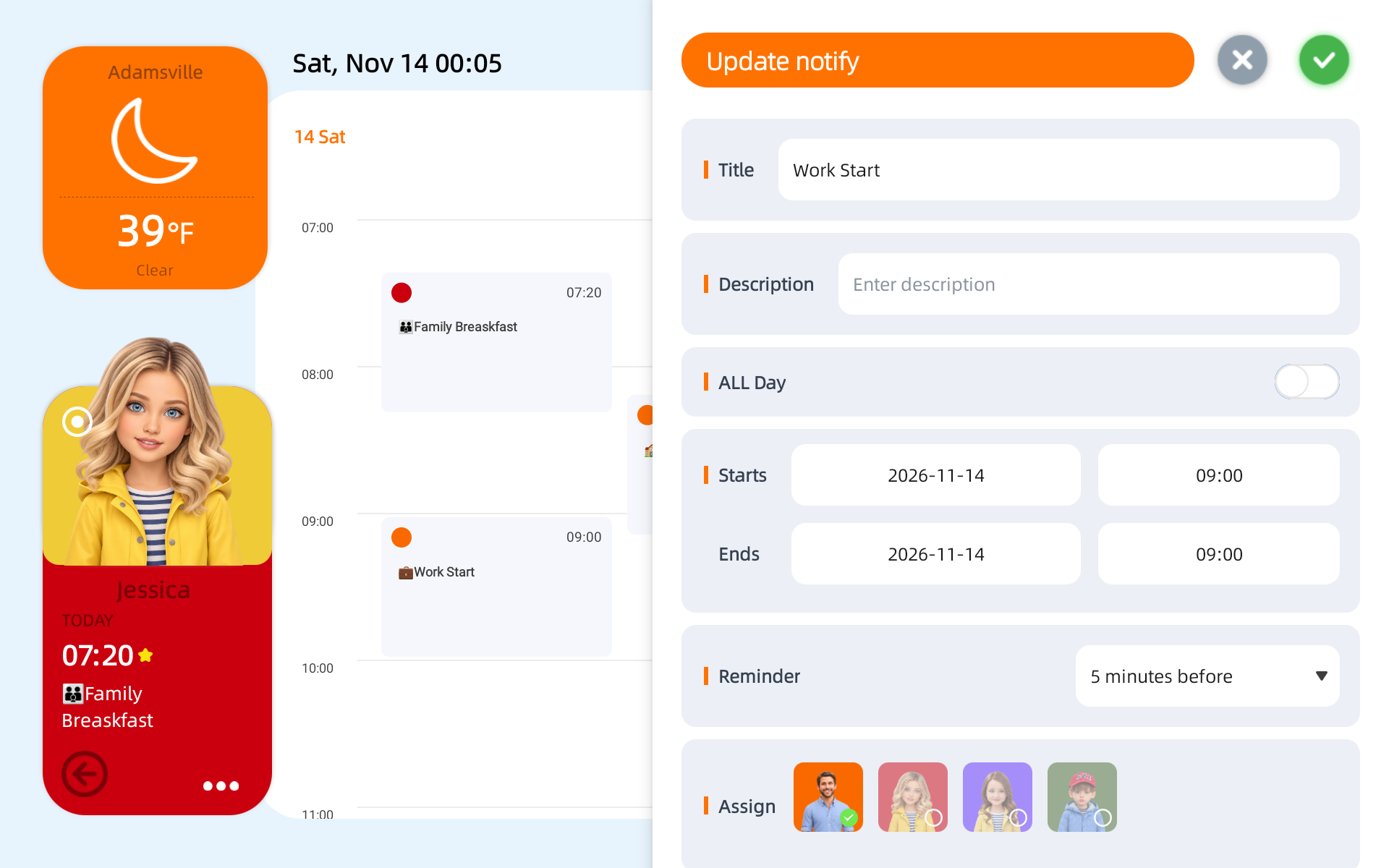
Edit form (Update notify): top fields
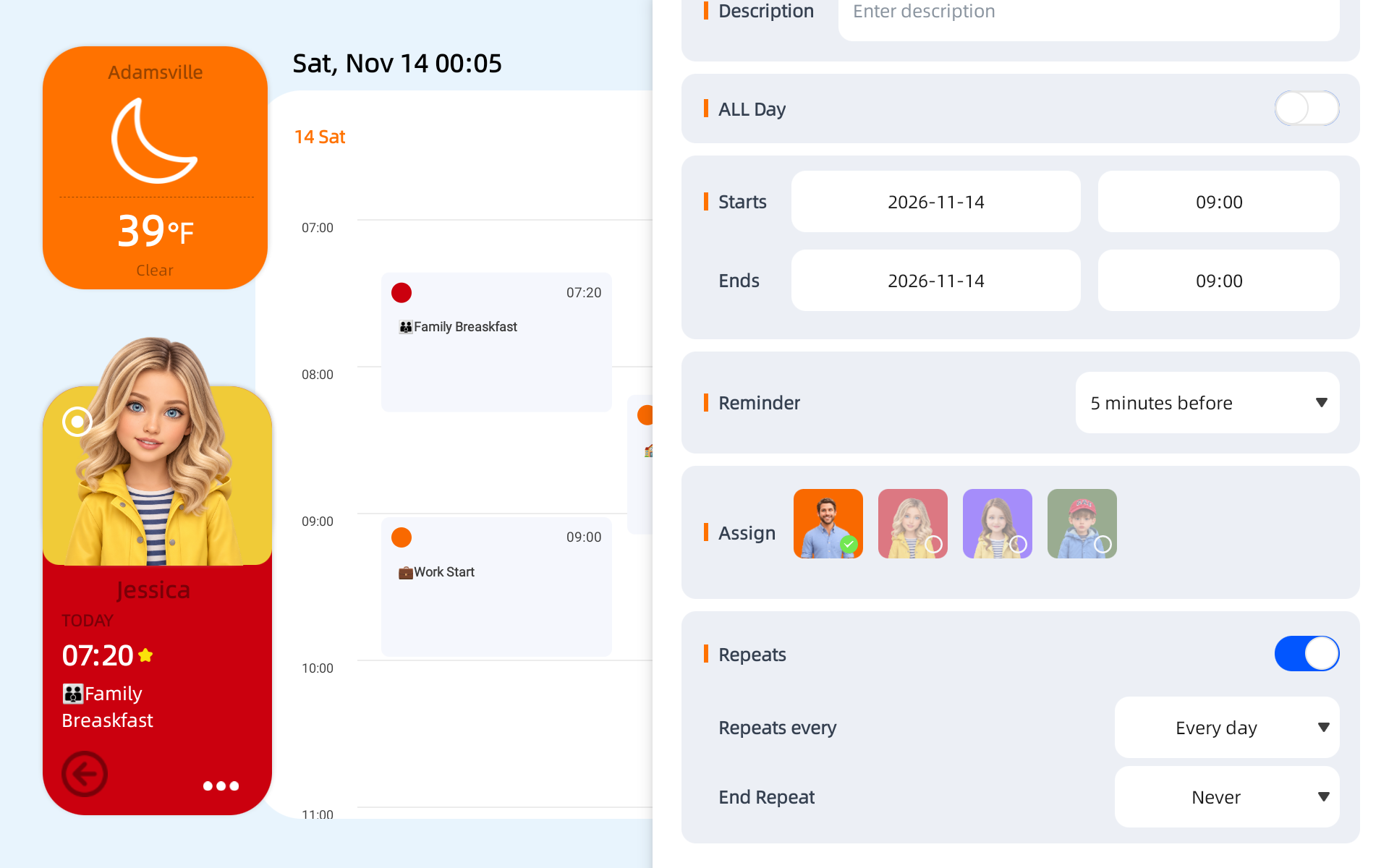
Edit form (Update notify): Repeats section
Tap 🗑 in the detail header to delete. Repeating events first ask for the scope (this one only / this and future / all), regular events show a confirm dialog. Deletion cannot be undone — double-check the scope before confirming. Whether schedules synced from the phone app can be deleted on the device is controlled by Settings → CALENDAR → Delete App Synced Schedules (see 8.4).