After binding, the home screen opens on the Month view. There are five areas:
| Area | Where | Description |
|---|---|---|
| Weather card | Top-left | Weather city, condition icon, temperature; tap for details / refresh |
| Member card | Left side | Family members on a carousel: avatar, name and TODAY preview; ← previous member, ··· more actions (see 3.2) |
| Calendar area | Center | Content of the current view (month/week/day); top bar has date & time, page arrows and the Day / Week / Month switch; a green star ★ marks dates with holidays or birthdays (see 8.4) |
| Right navigation | Right edge | Top to bottom: Calendar, Tasks, Rewards, Photos, Settings; the active module is highlighted orange |
| Add button | Bottom-right | Blue +: creates content for the current module (event / task / reward) |
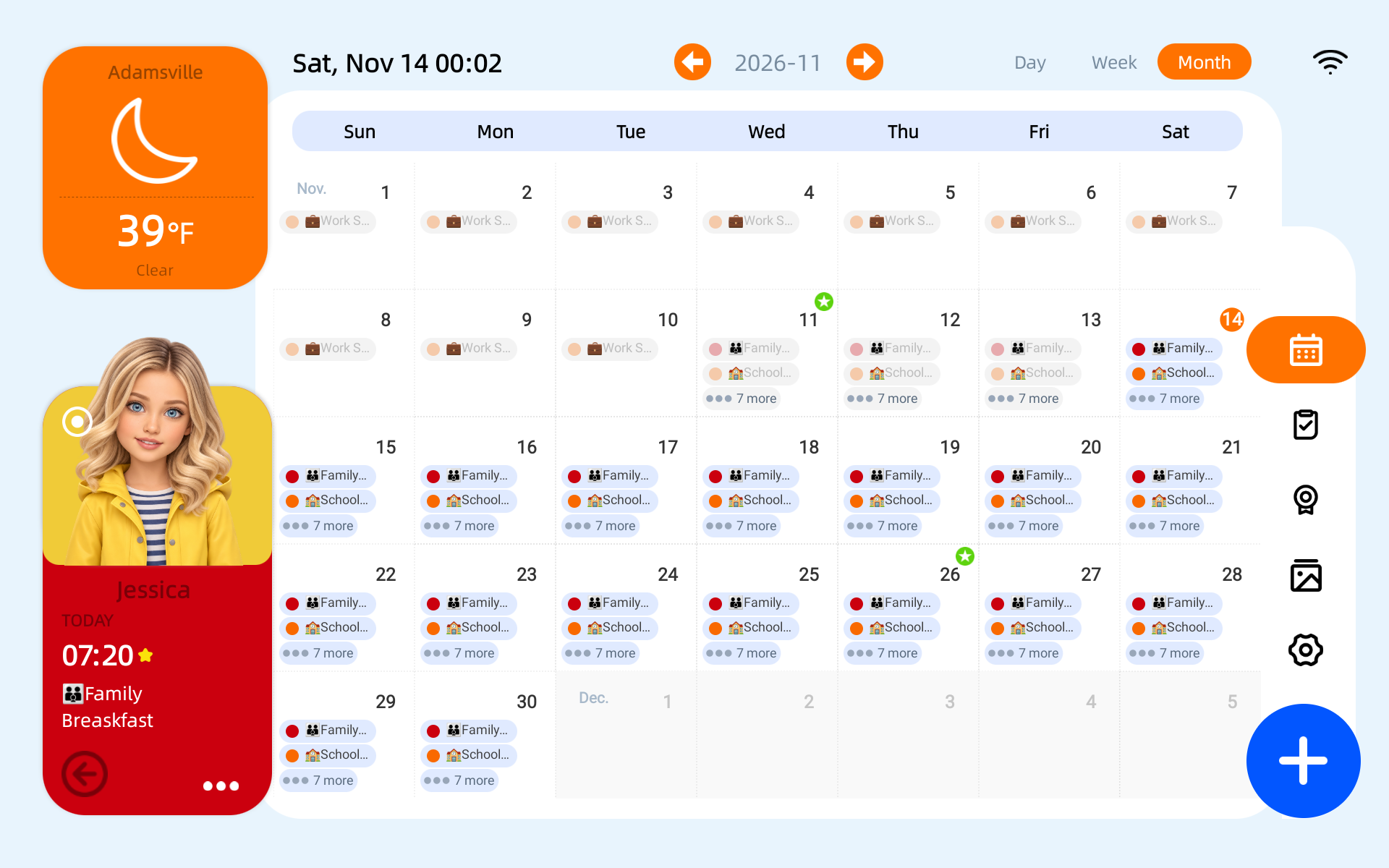
Home screen layout