The Time and location page has two settings: Time Zone and Location (weather city). Current date and time are shown below and adjust automatically when the time zone changes.
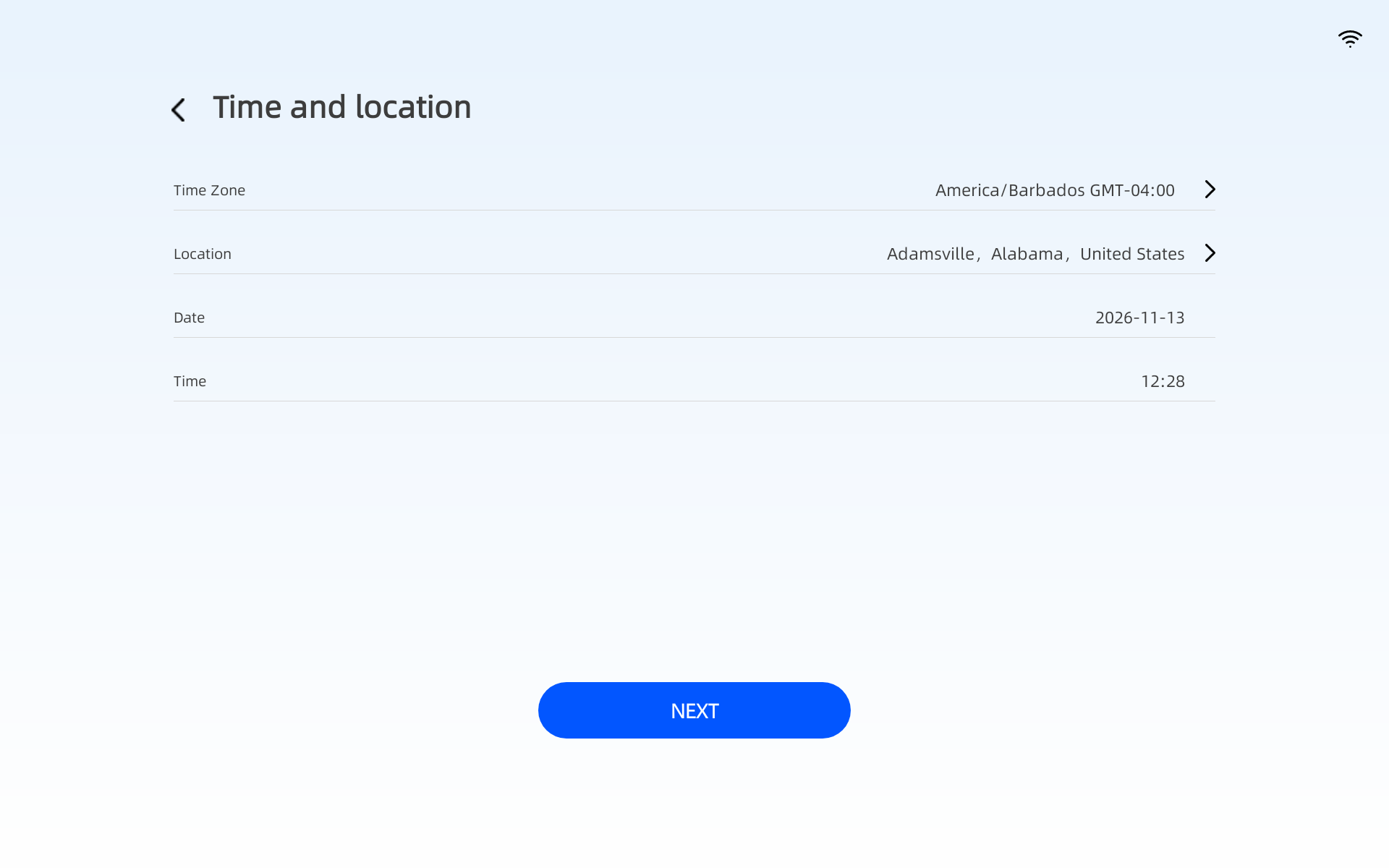
Time and location: time zone and weather city
① Set the time zone
- Tap the Time Zone row to open the Select the current time zone list.
- Scroll to your time zone (e.g. Asia/Shanghai GMT+08:00) and tap it.
- Confirm with the green ✓; the date and time update immediately.
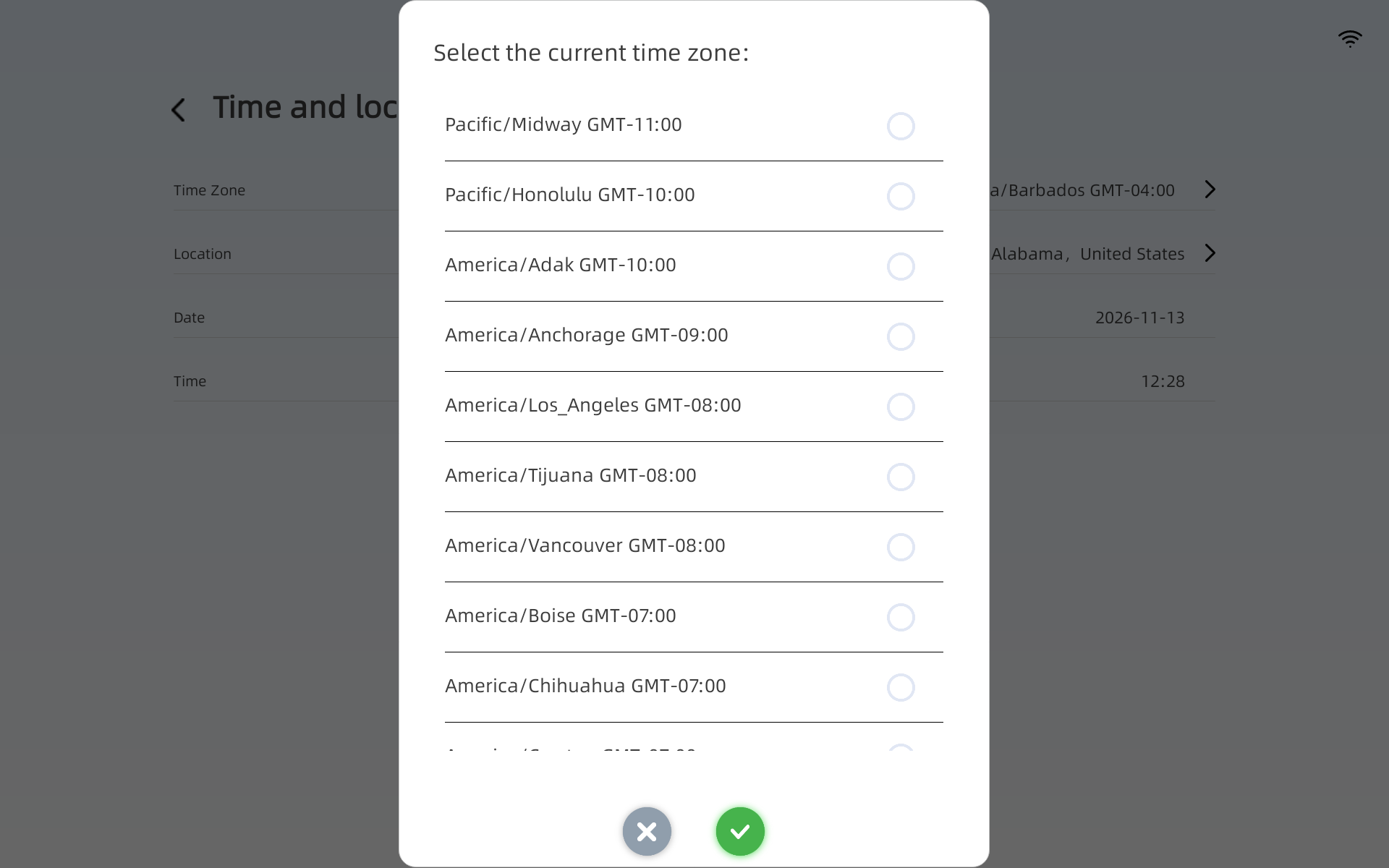
Time zone picker (scrollable list)
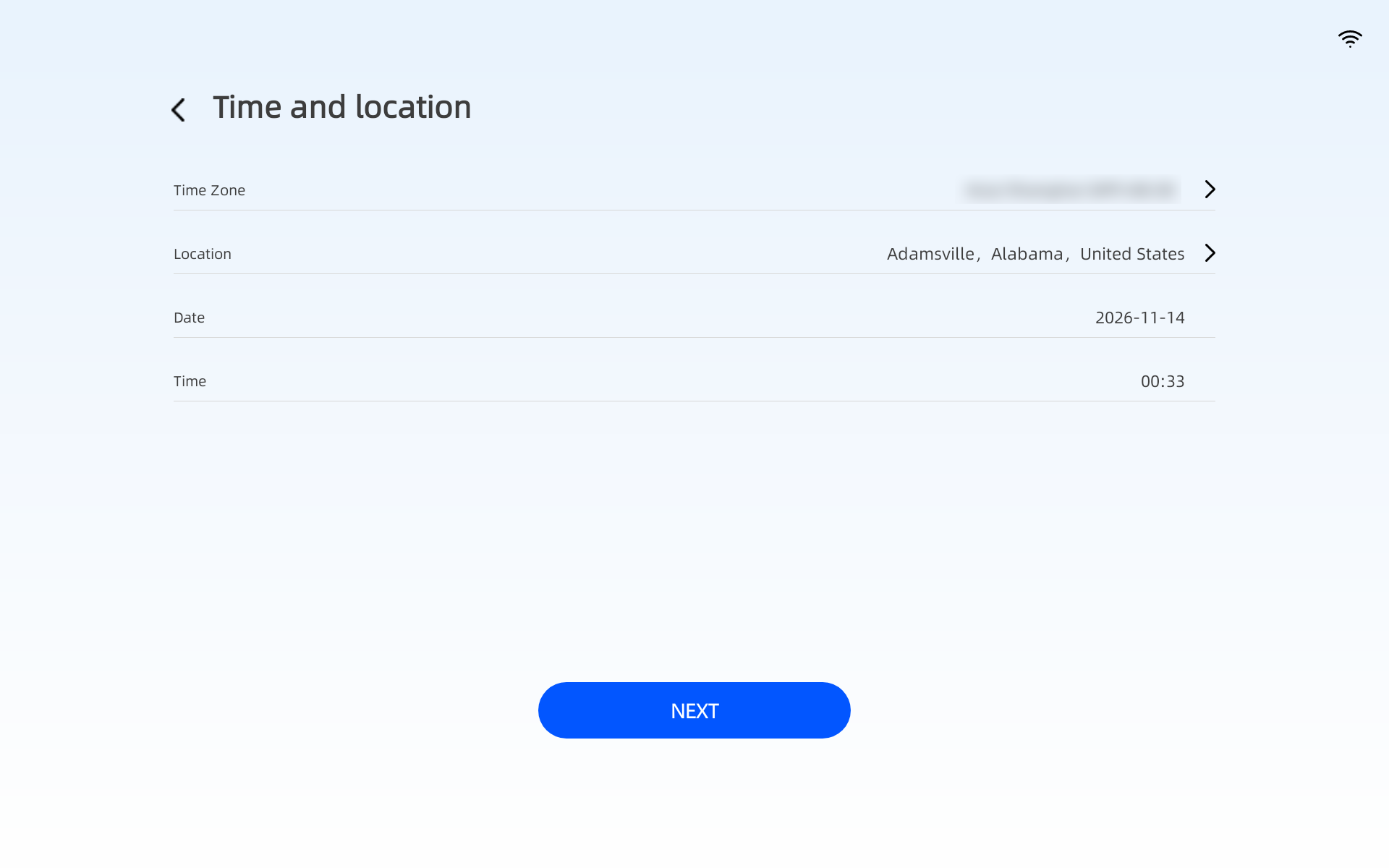
Asia/Shanghai GMT+08:00 selected; date and time updated
② Choose the weather city
- Tap the Location row and pick a Country first.
- Then pick a State / province.
- Finally tap a City (shown with coordinates). Use the A-Z index on the right to jump faster.
- The Location row then shows “City, State, Country”.
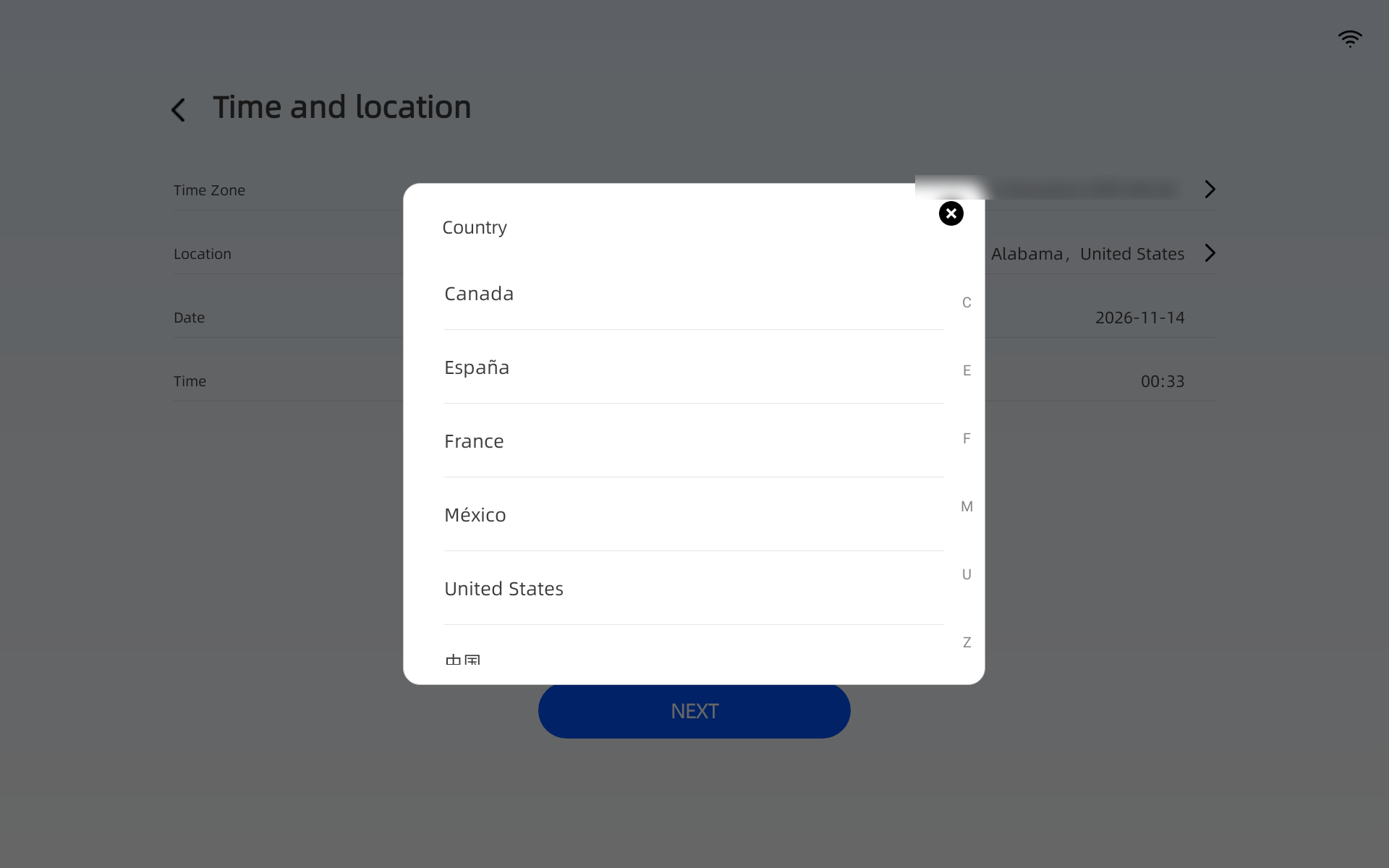
Step 1: choose the Country
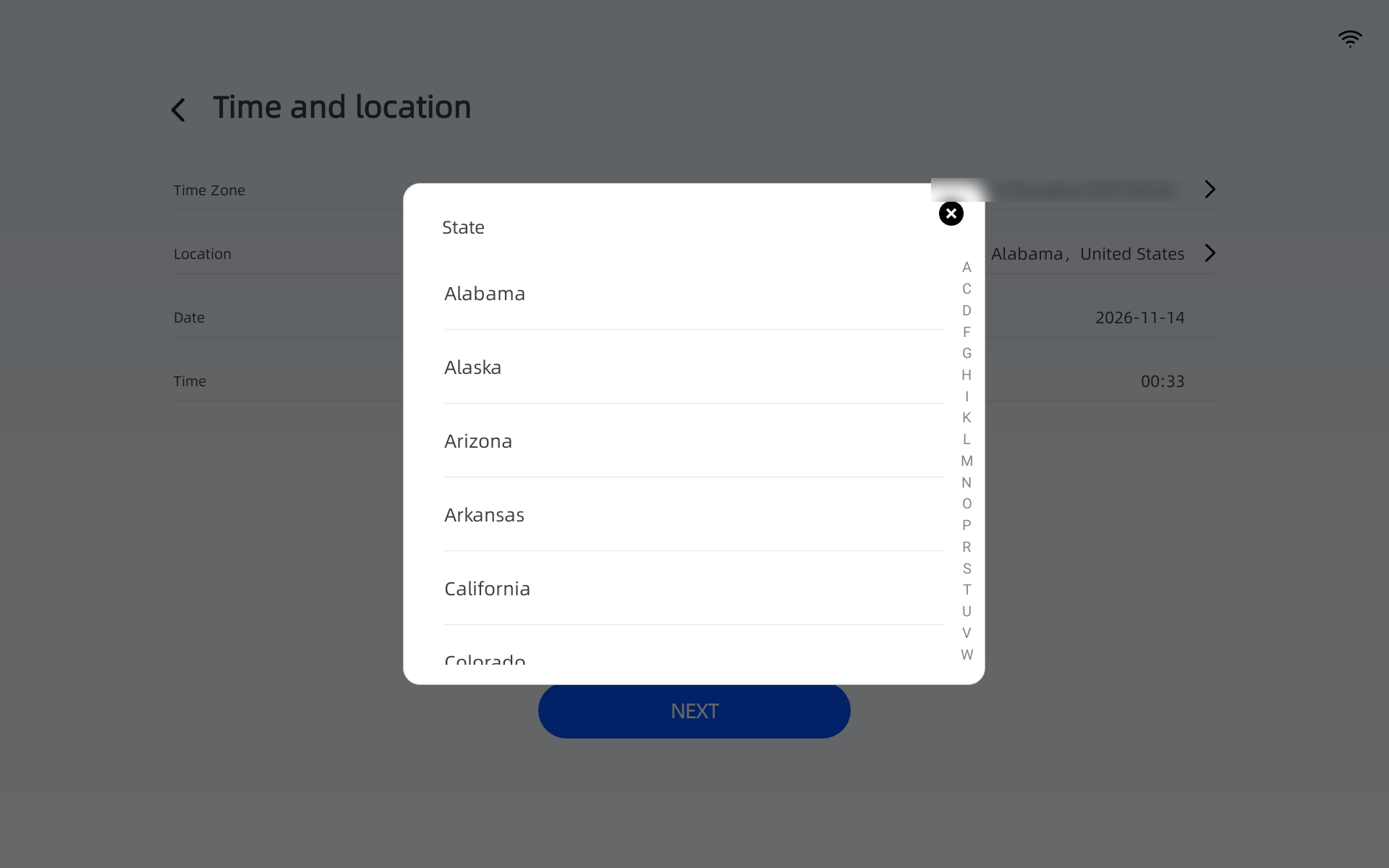
Step 2: choose the State
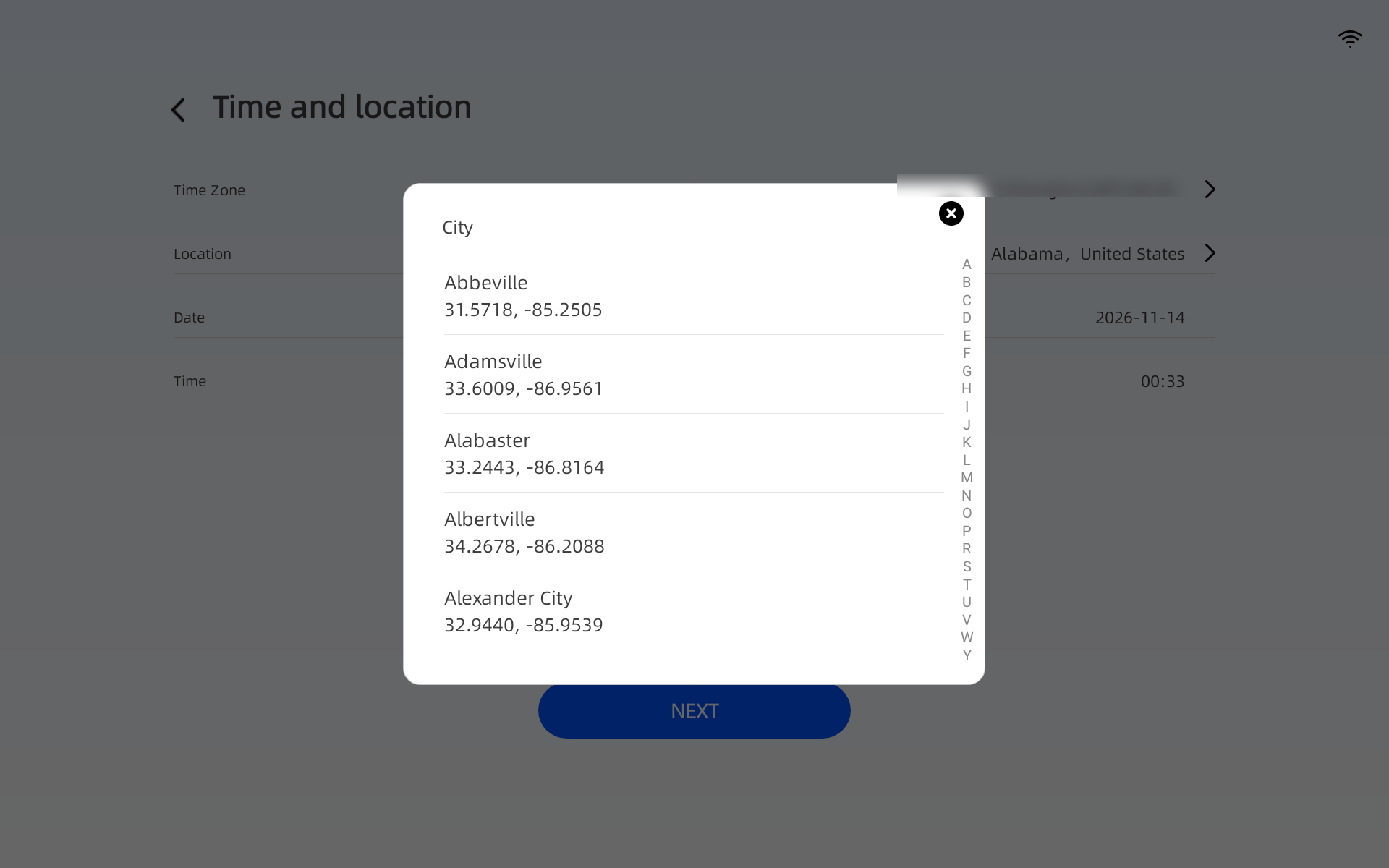
Step 3: choose the City (with coordinates)
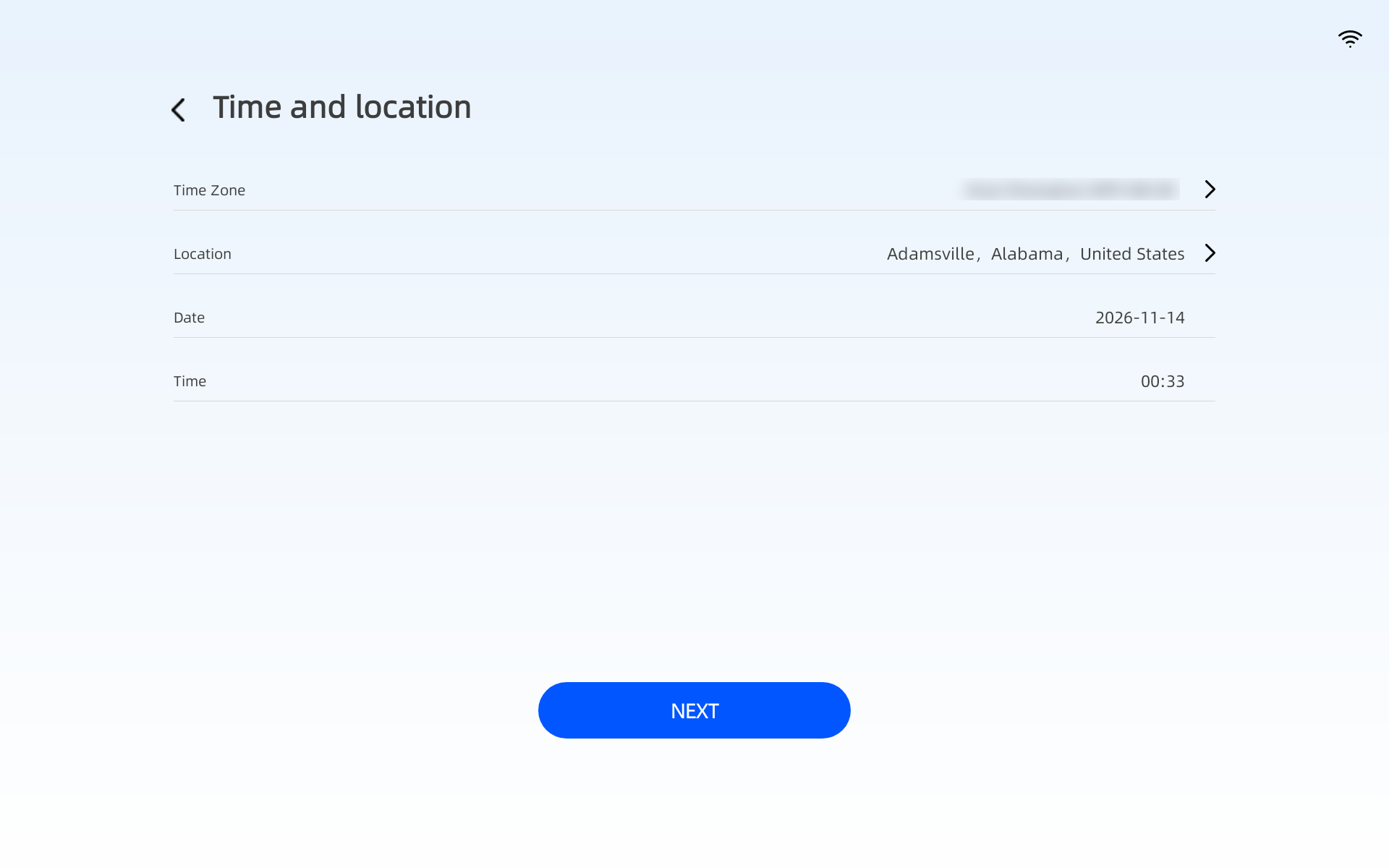
Time zone and city configured
Tip
The weather city drives the weather card in the top-left corner of the home screen. You can change it later in Settings → GENERAL → Weather.