1.1. About KAIROS AI Calendar
KAIROS AI Calendar is a large-screen landscape calendar for the whole family (AI Calendar). It puts family schedules, task check-offs, reward points and photo albums on a single display for the living room or hallway, so everyone can see what is happening today. Paired with the KAIROS Calendar App, family members can add events remotely, assign chores to kids, set up rewards and sync photos.
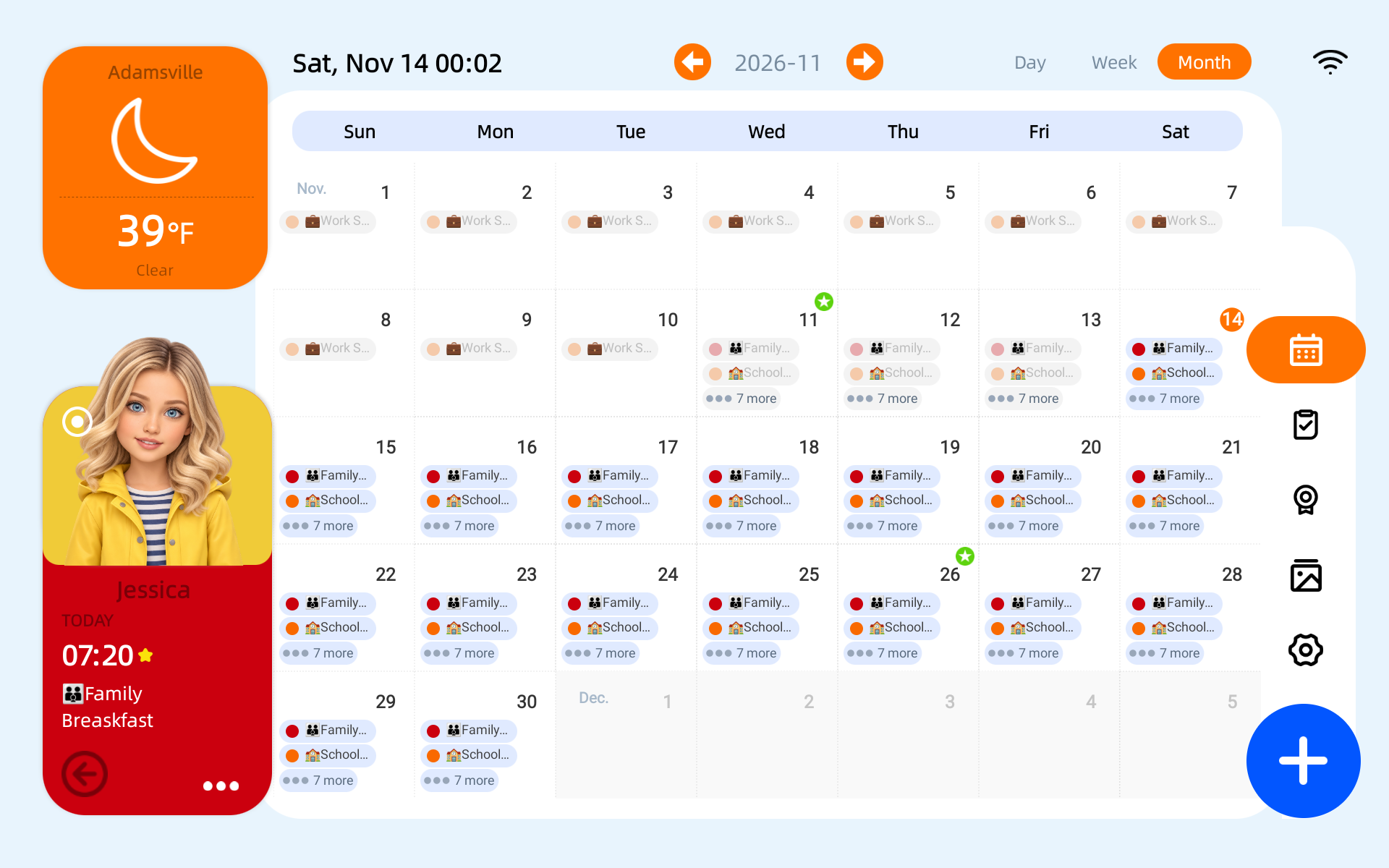
KAIROS AI Calendar home screen (Month view)
1.2. Feature Map
| Module | Entry | What it does |
|---|---|---|
| Calendar | Right rail calendar icon | View family plans in Day/Week/Month; create, edit and delete events and reminders; repeat rules and reminders |
| Tasks | Right rail task icon | Per-member task cards; create timed/repeating tasks; check in for points; approval workflow |
| Rewards | Right rail medal icon | Manage each member's rewards; redeem with points; redemption history and favorites |
| Photo Album | Right rail photo icon | Browse photos synced from the phone app; fullscreen slideshow; multi-select delete on device |
| Settings | Right rail gear icon | Wi-Fi, theme color, volume/brightness, time zone, language, weather city, screen saver, updates, reset and more |
1.3. Typical Workflow
First boot
  └→ Splash → language → Wi-Fi → time zone / weather city → activate → bind with phone app
      └→ Home screen, ready for daily use
Daily use
  ├─ Calendar: review plans → create events/reminders → on-device reminders
  ├─ Tasks: create & assign tasks → member checks in → (if approval is on) request sent → parent approves
  ├─ Rewards: save up points → pick a reward → Redeem → history saved automatically
  └─ Album: upload photos in the mobile app → device syncs → slideshow / screen saver