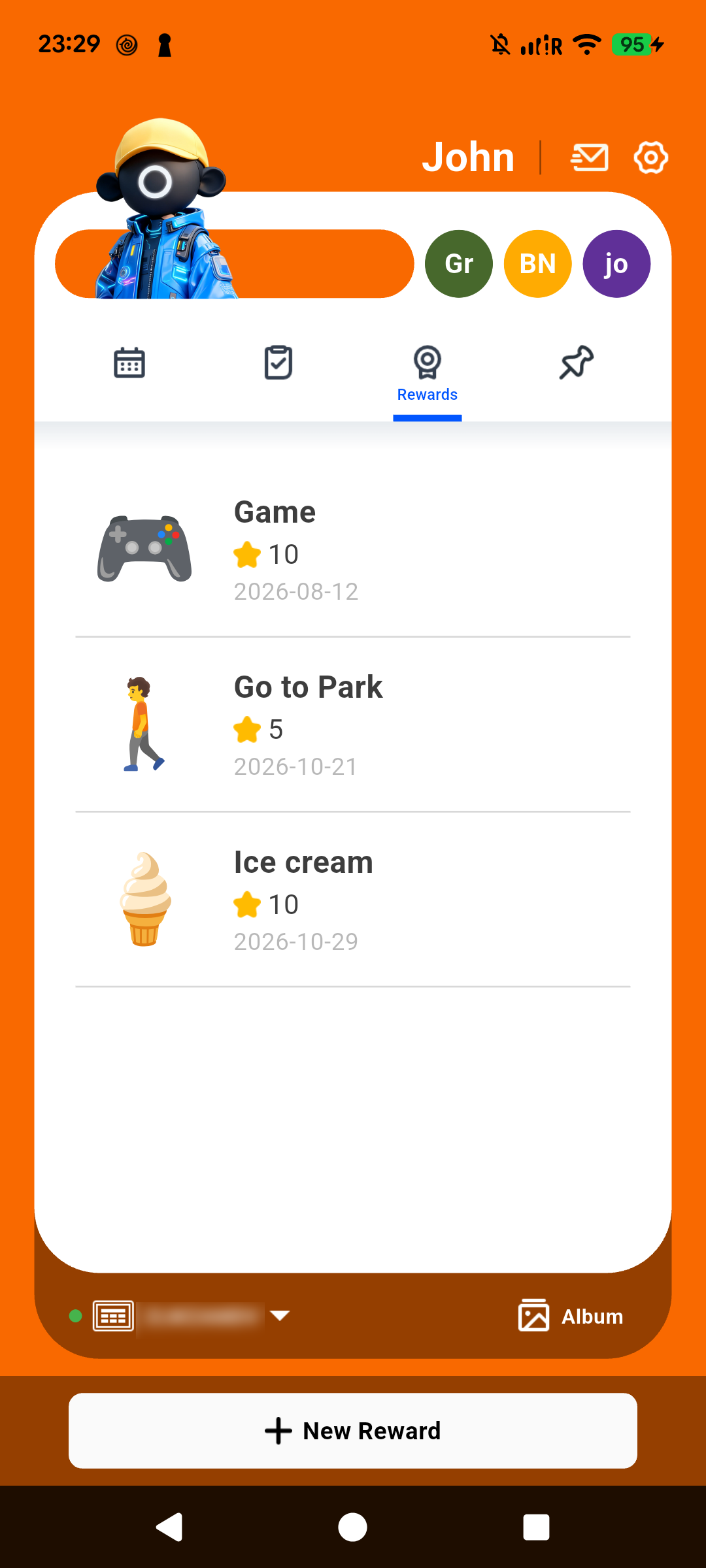
What it does: Creates rewards that can be viewed or requested for redemption through the available family flow.
Before you start: Sign in. Reward, points, and approval options may vary by member and family settings.
Where to find it: The Rewards section on the home screen. Tap New Reward to create a reward.
Steps:
- Open Rewards and tap New Reward.
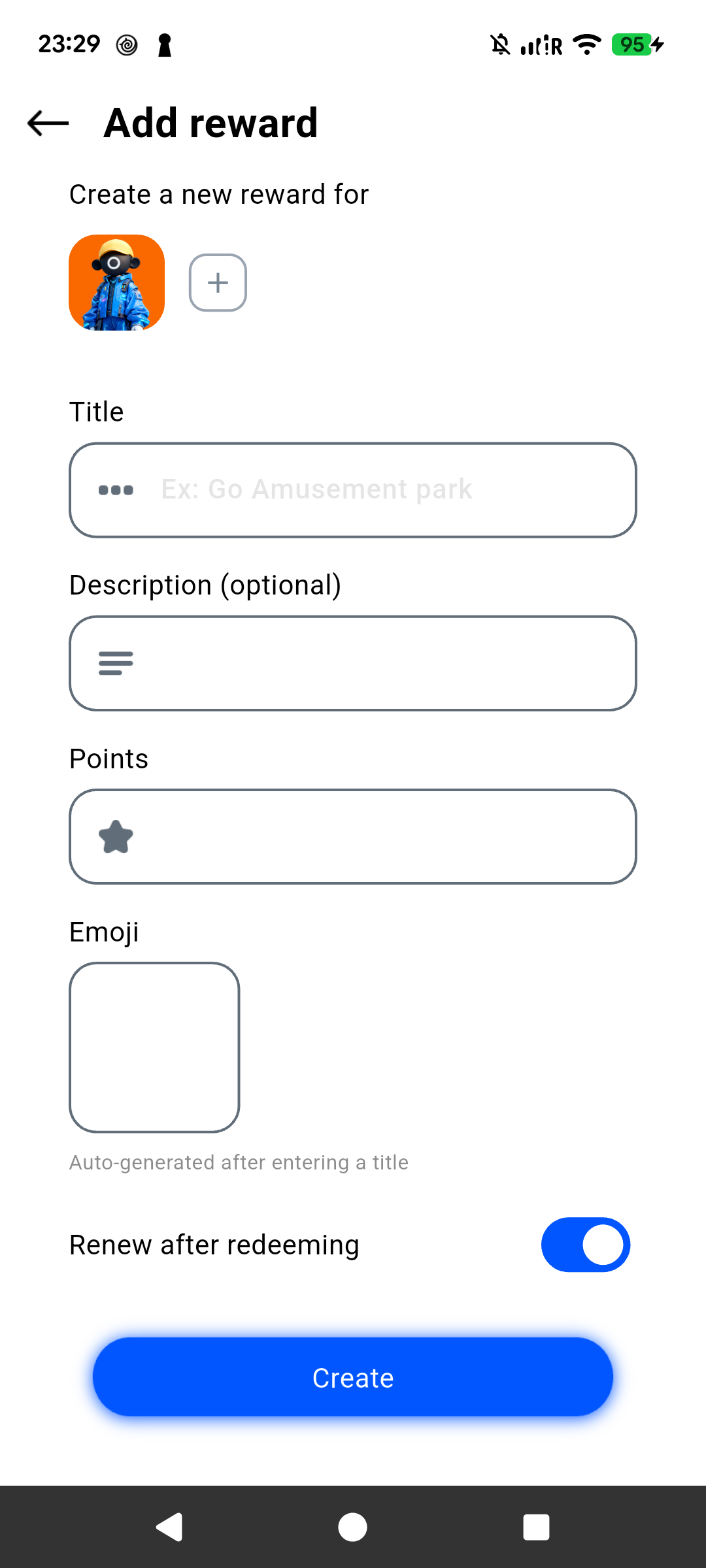
- Enter a reward title. Add a description and choose the points required.
- Select the eligible member if prompted. Choose an icon or whether the reward becomes available again after redemption if shown.
- Review the details and tap Create.
- Confirm the reward appears in the list.
- To request a reward, open it and use the request/redeem action shown. If approval is required, check Messages or the reward status for updates.
Fields: Title identifies the reward; description is optional; points set the redemption cost; member selection sets eligibility when available.
Result: The new reward appears in the list. A request may show a pending or completed status if the page provides one.
Notes: Check the point cost and eligible member before creating or requesting a reward. Approval and points follow the settings shown in your family account.
Common issue: If you cannot create a reward, make sure you are in Rewards. If you cannot redeem one, check your points and eligibility.
Example: Create “Choose a movie this weekend,” add a short description, set the points, select eligible members if prompted, and tap Create.
In-app screenshots: